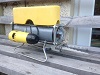
comenzando desde cero (Starting from scratch)

What are you working on .... Show off your Rov's Projects here.
Post Reply
User avatar
bigbadbob
Posts: 272
Joined: Nov 28th, 2011, 10:24 am

Re: comenzando desde cero (Starting from scratch)

Post by bigbadbob »

OK.... one step at a time... :lol:

first you need to change this in your master-

all of these need to be swapped around.

Code: Select all

PAD_UPstate = (txdata.PAD_UPstate);         // Manda lectura del botón Izquierda arriba al Esclavo ***
  PAD_DOWNstate = (txdata.PAD_DOWNstate);     // Manda lectura del botón Izquierda abajo al Esclavo  ***
  // int PSB_PAD_LEFT;                       // El botón Izquierda izquierdo ya esta usado para encender los focos  ***
  PAD_RIGHTstate = (txdata.PAD_RIGHTstate);   // Manda lectura del botón Izquierda derecho al Esclavo ***
  BLUEstate = (txdata.BLUEstate);             // Manda lectura del botón Cruz azul al Esclavo  ***
  GREENstate = (txdata.GREENstate);           // Manda lectura del botón Triangulo verde al Esclavo ***
  PINKstate = (txdata.PINKstate);             // Manda lectura del botón Cuadrado rosa al Esclavo  ***
  REDstate = (txdata.REDstate);               // Manda lectura del botón Circulo rojo al Esclavo ***
  L1state = (txdata.L1state);                 // Manda lectura del botón Izquierda delante arriba al Esclavo  ***
  L2state = (txdata.L2state);                 // Manda lectura del botón Izquierda delante abajo al Esclavo  ***
  L3state = (txdata.L3state);                 // Manda lectura del botón Palo izquierdo abajo al Esclavo ***
  R1state = (txdata.R1state);                 // Manda lectura del botón Derecha delanta arriba al Esclavo  ***
  R2state = (txdata.R2state);                 // Manda lectura del botón Derecha delante abajo al Esclavo  ***
  R3state = (txdata.R3state);                 // Manda lectura del botón Palo derecho abajo al Esclavo **

so it looks like this-

Code: Select all

txdata.PAD_UPstate = (PAD_UPstate);         // Manda lectura del botón Izquierda arriba al Esclavo ***
  txdata.PAD_DOWNstate = (PAD_DOWNstate);     // Manda lectura del botón Izquierda abajo al Esclavo  ***
  // int PSB_PAD_LEFT;                       // El botón Izquierda izquierdo ya esta usado para encender los focos  ***
  txdata.PAD_RIGHTstate = (PAD_RIGHTstate);   // Manda lectura del botón Izquierda derecho al Esclavo ***
  txdata.BLUEstate = (BLUEstate);             // Manda lectura del botón Cruz azul al Esclavo  ***
  txdata.GREENstate = (GREENstate);           // Manda lectura del botón Triangulo verde al Esclavo ***
  txdata.PINKstate = (PINKstate);             // Manda lectura del botón Cuadrado rosa al Esclavo  ***
  txdata.REDstate = (REDstate);               // Manda lectura del botón Circulo rojo al Esclavo ***
  txdata.L1state = (L1state);                 // Manda lectura del botón Izquierda delante arriba al Esclavo  ***
  txdata.L2state = (L2state);                 // Manda lectura del botón Izquierda delante abajo al Esclavo  ***
  txdata.L3state = (L3state);                 // Manda lectura del botón Palo izquierdo abajo al Esclavo ***
  txdata.R1state = (R1state);                 // Manda lectura del botón Derecha delanta arriba al Esclavo  ***
  txdata.R2state = (R2state);                 // Manda lectura del botón Derecha delante abajo al Esclavo  ***
  txdata.R3state = (R3state);                 // Manda lectura del botón Palo derecho abajo al Esclavo **

then you can get rid of this line (line 328) "txdata.PAD_UPstate = (PAD_UPstate);" AND ALL it's other equivalents after each if statement.

I understand about using too many "if's" but if you use "Else-if's" in the wrong place then the code will not do what you want.
We'll come back to that later....

I had the same problem with my controller hanging up.
when we have sorted your code that problem will go away. :-) we need to sort the basics first.

And in your slave you still have to change-

else if (ps2x.Button(PAD_DOWNstate))
// Si presionamos el boton izquierda abajo
{
rxdata.PAD_DOWNstate = (rxdata.PAD_DOWNstate);
digitalWrite(yelLEDpin, HIGH);
// Enciende el Led Amarillo
}

to-

else if (PAD_DOWNstate)
// Si presionamos el boton izquierda abajo
{
digitalWrite(yelLEDpin, HIGH);
// Enciende el Led Amarillo
}

AND DO THE SAME FOR ALL OTHER PADS.

also in slave-

move line 335 ETout.sendData (); // Envía los datos al puerto serie para el ROV Arduino
down to line 473 and add delay 200; to line 474 to give the data time to send.

change line 336 from
ETin.receiveData();
to
while (!ETin.receiveData())
This means that while you have no data, do nothing.
it makes the code wait for the data. if it hasn't got it then there is no point continuing the loop.

Let me know when you have done these steps and send me the new files. it will not work yet, there is more to do.... ;-)
asesorplaza1
Posts: 187
Joined: Mar 4th, 2018, 6:11 pm
Location: Valverde de Júcar, Cuenca, España

Re: comenzando desde cero (Starting from scratch)

Post by asesorplaza1 »

Bueno, pues como tú me dijiste, he cambiado todas las líneas del código que me señalaste, y a demás he tenido que cambiar otras líneas del código, porque me daba errores de compilación, pero ya las he podido arreglar.

Yo lamento mucho haber tardado tanto en hacer los cambios, pero es que con el trabajo, no tengo todo el tiempo que quisiera para arreglar el código, y con la diferencia horaria, me entero tarde de tus mensajes.

Por favor sigue dándome instrucciones de cómo arreglar el código, estamos avanzando mucho, en muy poco tiempo, y de verdad te agradezco mucho el tiempo que me estas dedicando.

Un saludo.


Well, as you told me, I changed all the lines of the code you pointed to, and others I had to change other lines of the code, because it gave me compilation errors, but I've already been able to fix them.

I'm so sorry it took me so long to make the changes, but with work, I don't have as much time as I want to fix the code, and with the time difference, I get done late for your messages.

Please keep giving me instructions on how to fix the code, we are making a lot of progress, in a very short time, and I really appreciate the time you are dedicating to me.

Greetings.
Attachments
27_21_04_2020.rar
(15.6 KiB) Downloaded 890 times
asesorplaza1
Posts: 187
Joined: Mar 4th, 2018, 6:11 pm
Location: Valverde de Júcar, Cuenca, España

Re: comenzando desde cero (Starting from scratch)

Post by asesorplaza1 »

Yo he cambiado alguna linea mas como me dijiste poniendo " > 0 ", en las lineas del código llamado " Esclavo "

Code: Select all

  if (rxdata.PSB_PAD_UPstate > 0)
creo que así ya están hechos todos los cambios que tu me dijiste.

Un saludo.


I've changed some more lines like you said by putting ">0" in the lines of the code called "Slave"

Code: Select all

  if (rxdata.PSB_PAD_UPstate > 0)
I think that's how you're made all the changes you told me are already made.

Greetings.
Attachments
27_21_04_2020.rar
(15.61 KiB) Downloaded 794 times
User avatar
bigbadbob
Posts: 272
Joined: Nov 28th, 2011, 10:24 am

Re: comenzando desde cero (Starting from scratch)

Post by bigbadbob »

Ok my friend. now we are getting close to a working code. :-)

in master-
correct lines:
357
368
379
390
401
412
423
434
445
456

hint-Look at line 324 to see what you need to change. ;-)

I would also move "ETout.sendData" line 610 up to line 472 and add a delay 200 after it to give it time to send the data before you ask it to receive data.
then do a "while (!ETin.receiveData())" after that delay 200. and delete it from line 612 so that you have data to work with for the rest of the code.


In slave-
Move ETout.sendData (); (line 335) to the end, before the delay.
delete lines:
379
387
395
403
411
419
427
435
443
452
461
469
They mean nothing and are just wasting space. (like saying x=x)

in line 494-
you say "if (digitalRead(rxdata.PSB_R1state) == LOW)"
You cannot digitalRead an integer, only a pin. just use-
if (rxdata.PSB_R1state == LOW)
or
if (!rxdata.PSB_R1state) // it means the same thing. I avoid using == whenever possible as it is easy to type = by mistake.

The same applies to line 505.

remove the delay 1000 from line 727, you are doing nothing for 1 second during that void loop. why waste time here?


In your Void loops you "serial print" lots of things. where are you printing them? this will work for debug with the computer attached to the Arduino. but I'm not sure where this data is going in the rov??? I know you use several serial ports which I don't have so you might be right there, but it is better to send the raw data to the controller via easytransfer and do the if's and serial prints at that end.

I think it should all work after these changes. :-) :-) good luck and let me know if you still have problems.
asesorplaza1
Posts: 187
Joined: Mar 4th, 2018, 6:11 pm
Location: Valverde de Júcar, Cuenca, España

Re: comenzando desde cero (Starting from scratch)

Post by asesorplaza1 »

Lo primero que tengo que hacer es darte las gracias por tu tiempo que le estas dedicando, y tu trabajo que estás haciendo en mi proyecto.

Yo lamento tener que decirte que aún estamos lejos de la perfección.
Te comento lo que yo estoy observando.

En el “ Maestro “, que es el que está en el puesto de control.

Los LED indicadores de la placa tx y rx, del “ Maestro “, no se encienden, por lo tanto no se si se está produciendo la transmisión y la recepción de datos, o no, parece que sí, puesto que los valores cambian.

En el Monitor Serie del “Maestro “, si puedo ver los datos de los valores de los sensores, por ejemplo, si muevo el giroscopio me cambia sus valores.

El sensor de infrarrojos E18D80NK, cuando no hay nada que corte la luz, me dice peligro, cuando corto la luz, me dice todo despajado, por lo tanto ahora está funcionando al revés, antes el funcionaba bien.

El piloto chivato de que el mando está en funcionamiento, no se enciende, por lo tanto el mando no va bien

En el “ Esclavo “, que es el que está dentro del ROV.

Los LED indicadores de la placa tx y rx, del “ Esclavo “, no se encienden, por lo tanto no se si se está produciendo la transmisión y la recepción de datos o no, parece que sí, puesto que los valores cambian en el “ Maestro “.
No puedo ver los datos de los sensores en el Monitor Serie del “ Esclavo “.

Los motores se encienden solos, sin tocar los botones del mando, cuando pasa un minuto que esta encendido el “ Esclavo “, por lo tanto, ellos no obedecen las ordenes de los palos del joystick, y no los puedo controlar a ellos, ellos solo se apagan si yo apago la corriente.

En tu ultima respuesta, me comentas que el void loop, tengo muchas ordenes Serial.print, y me preguntas donde las imprimo, efectivamente, estas órdenes son para controlar que los programas y los sensores están funcionando bien, como tu bien comentas, yo los estoy utilizando para que ellos me ayuden a depurar el código, y yo las estoy imprimiendo en el Monitor Serie del “ Esclavo “, en principio estos datos no irán a ninguna parte cuando el programa funcione correctamente.
Yo estoy utilizando dos Arduino Mega 2560, y dos puertos serie para separar los datos que deben verse en el Monitor Serie, estos datos deben ir por el Serial, USB del ordenador al Monitor Serie, de los datos que deben mandarse al otro Arduino, que deben ir por el Serial1, pines 18 y 19, por los cables de comunicación al otro Arduino.

Yo adjunto los códigos con tus últimas modificaciones
Muchas gracias.
Un saludo


The first thing I have to do is thank you for your time, and your work you're doing on my project.

I'm sorry to have to tell you that we're still far from perfection.

I'm telling you what I'm watching.

In the "Master," which is the one at the checkpoint.

The TX and Rx card indicators of the "Master" are not turned on, so I do not know if data transmission and reception is occurring, or not, it seems so, since the values change.

In the "Master" Serial Monitor, if I can see the sensor value data, for example, if I move the gyroscope it changes its values.

The infrared sensor E18D80NK, when there is nothing that cuts off the light, tells me danger, when I cut the light, tells me everything off, therefore now it is working the other way around, before the worked well.

The squeaky pilot that the controller is in operation, does not turn on, therefore the controller does not go well

In the "Slave", which is the one inside the ROV.

The TX and Rx card indicators of the "Slave" are not turned on, therefore I do not know if the transmission and reception of data is occurring or not, it seems yes, since the values change in the "Master".

I can't see the sensor data in the Slave Series Monitor.

The motors are turned on alone, without touching the buttons on the controller, when a minute goes by the "Slave" is on, therefore, they do not obey the commands of the sticks of the joystick, and I can not control them, they only turn off if I turn off the current.

In your last answer, I review that the void loop, I have many Serial.print commands, and I wonder where I print them, effectively, these commands are to control that the programs and sensors are working well, as your well, I am using them for them to help me debug the code, and I am printing them in the Monitor Series of "Slave" , in principle this data will not go anywhere when the program is working properly.

I am using two Arduino Mega 2560, and two serial ports to separate the data to be seen in the Serial Monitor, this data must go through the Serial, USB from the computer to the Serial Monitor, from the data to be sent to the other Arduino, which must go by serial1, pins 18 and 19, by the communication cables to the other Arduino.

I attach the codes with your latest modifications

Thanks you very much, friend.

A greeting
Attachments
28_23_04_2020.rar
(15.55 KiB) Downloaded 638 times
User avatar
bigbadbob
Posts: 272
Joined: Nov 28th, 2011, 10:24 am

Re: comenzando desde cero (Starting from scratch)

Post by bigbadbob »

Ok, I'll have a look tomorrow. tonight I'm having BBQ and drinking beer.
Beer and coding don't mix. :D :lol:
asesorplaza1
Posts: 187
Joined: Mar 4th, 2018, 6:11 pm
Location: Valverde de Júcar, Cuenca, España

Re: comenzando desde cero (Starting from scratch)

Post by asesorplaza1 »

Que tú disfrutes de la barbacoa, y de la cerveza, hay que tener tiempo para todo.

Un saludo, amigo.


That you enjoy the barbecue, and the beer, you have to have time for everything.

Greetings, my friend
User avatar
bigbadbob
Posts: 272
Joined: Nov 28th, 2011, 10:24 am

Re: comenzando desde cero (Starting from scratch)

Post by bigbadbob »

Ok... I've recovered now. hahahaha...

master-
delete or comment out line 244.

remove ; from end of line 479.

line 619, delay 1000 is a whole second, reduce this to 200.


to correct the infra-red sensor-

slave, line 650-

if (E18D80NK == 0) {// change this to if (E18D80NK > 0)
Serial.println(" \n PELIGRO Obstaculo detectado");
digitalWrite(pinLedColision, HIGH); // encender el led de peligro
}


Please explain "El piloto chivato" do you mean the beep noise from the motor controller?

move slave line 711- "ETout.sendData (); // Envía los datos al puerto serie para el ROV Arduino" out of void loop_SKU237545_E()
and put it at line 459

remove ; from slave line 232

There is something wrong here too-
slave line 545

int intervaloMedidas = 1000;
// hace que solo se lean los valores 1 vez por segundo
int auxMillis = 0;
// Indica el valor del intervalo de tiempo
................................................................
else if ( millis() - auxMillis > intervaloMedidas) // auxMillis is always zero so why use it? intervaloMedidas is always 1000.
I'm not sure what you are trying to do here but I think you need to add this line-
auxMillis = millis(); at line 570 and add brackets to the else if statement above like this-
else if (( millis() - auxMillis) > intervaloMedidas)
and delete int auxMillis = 0; as you already declared it in setup
asesorplaza1
Posts: 187
Joined: Mar 4th, 2018, 6:11 pm
Location: Valverde de Júcar, Cuenca, España

Re: comenzando desde cero (Starting from scratch)

Post by asesorplaza1 »

Me alegra saber que tú te lo pasaste bien en la fiesta.

Pero hay algo que yo no entiendo

Al principio de tu respuesta me dices

master-
Eliminar o comentar la línea 244.

Eliminar; desde el final de la línea 479.

Línea 619, el retraso 1000 es un segundo entero, reduzca esto a 200.


¿Por qué tengo que comentar la línea 244?

//configuracion y pines de configuracion: GamePad(clock, command, attention, data, Pressures?, Rumble?)
ps2x.config_gamepad(13, 11, 10, 12, true, true);

Si es la que configura los pines del mando

Y ¿Por qué tengo que eliminar desde el final de la línea 479?

// Recibe el mensaje al puerto serie para el Arduino del ROV
while (!ETin.receiveData());

Si es la que controla la recepción de los datos.

Las demás ordenes si las entiendo y ya las he cambiado.

Yo adjunto los códigos nuevos.

Un saludo, amigo


I'm glad to know you had a good time at the party.

But there's something I don't understand.

At the beginning of your answer you tell me

master-
Delete or comment on line 244.

Delete; from the end of line 479.

Line 619, delay 1000 is a second integer, reduce this to 200.

Why do I have to comment on line 244?

configuration and configuration pins: GamePad(clock, command, attention, data, Pressures?, Rumble?)
ps2x.config_gamepad(13, 11, 10, 12, true, true);

If it's the one that sets the pins on the controller

And why do I have to remove from the end of line 479?

Receives message to serial port for ROV Arduino
while (! ETin.receiveData());

If it is the one that controls the receipt of the data.

The other orders if I understand them and have already changed them.

I attach the new codes

Greetings, my friend
Attachments
29_26_04_2020.rar
(15.58 KiB) Downloaded 915 times
User avatar
bigbadbob
Posts: 272
Joined: Nov 28th, 2011, 10:24 am

Re: comenzando desde cero (Starting from scratch)

Post by bigbadbob »

Delete or comment out line 244.
because you do it again at line 260 ;)

delete the semicolon ";" from line 479 it does nothing and might confuse the compiler.

Then in slave-

add delay 1000; at line 303 to give the ESCs/servo time to set themselves up.
you might need to give them more time, I use 4500 for mine, but try 1000 first.
this is why yours don't beep.

then move-

Serial.begin(9600); // Comienza Serial para hablar con el Arduino Maestro a 9600 baudios
Serial1.begin(9600); // Comienza la comunicacion Serie en el puerto 1, pines 18 y 19
Serial1.flush(); // Depura la informacion
ETin.begin(details(rxdata), & Serial1); // Comienza la recepcion de datos a través de Serial, en los pines 18 y 19
ETout.begin(details(txdata), & Serial1); // Comienza el envio de datos a través de Serial, en los pines 18 y 19

to after the new delay at line 303,
if you start the serial too soon the arduino can go into programming mode.
so you need to add the same delay in master at line 253 as well.

Now go ahead and test it and let me know what works. :)
Post Reply